The 3D converter that keeps your files on your machine.
Convert, view and compress STL, STEP, OBJ, FBX, GLB, 3MF, Blender, Rhino and USDZ files. Turn meshes into real, editable CAD.
- STL to STEP with real flat faces, cylinders and holes
- Opens modern Blender files, including mirror and smoothing
- Right size and orientation in every app
Pick a conversion
See every conversionA STEP file you can actually edit.
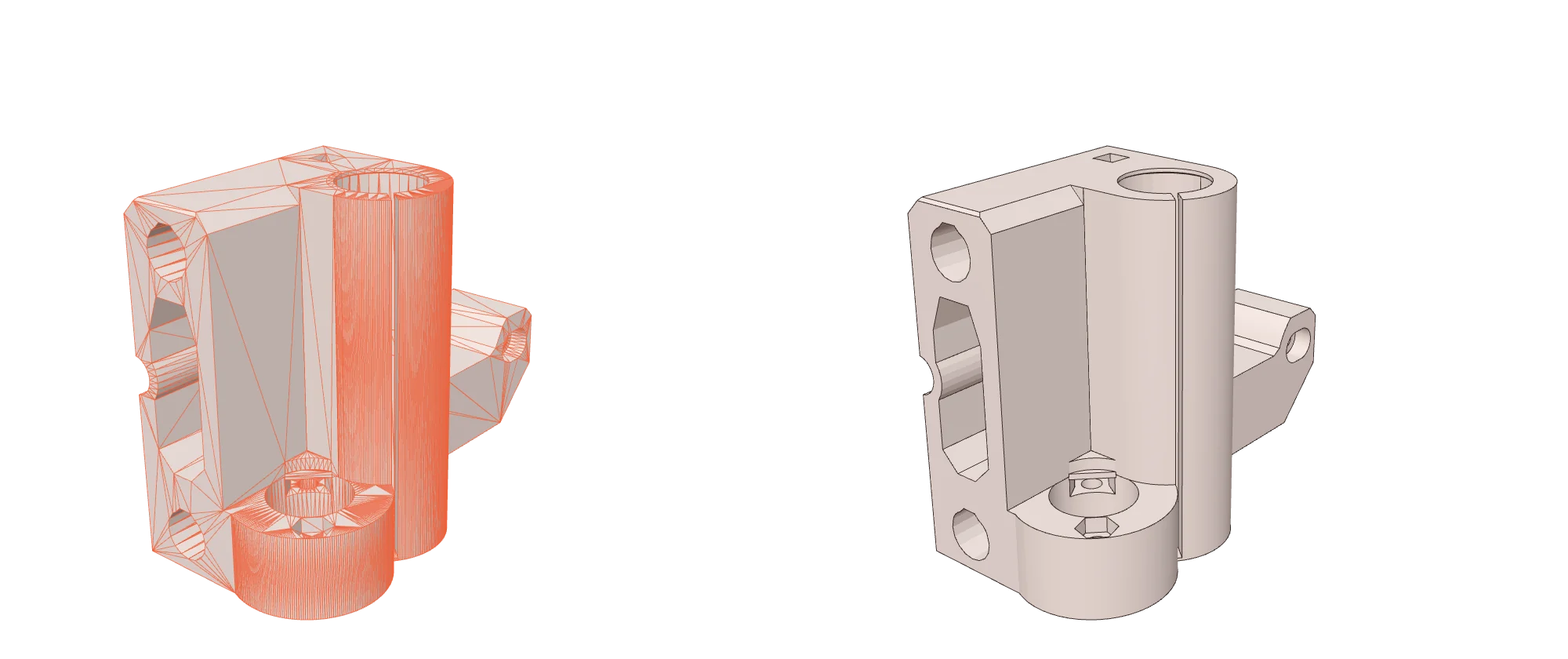
Other converters wrap every triangle as its own face. Open that in SolidWorks and you get thousands of fragments. We find the real shapes in your mesh and rebuild them, so holes are holes and walls are single faces.
Private by design
Conversion runs in your browser. Your designs are never sent to us or anyone else.
See before you save
Every result opens in a 3D preview with real dimensions, so you know it is right. Open the viewer.
Shrink heavy models
The compressor cuts the triangle count while keeping the shape, for web, AR and email.
Popular conversions
Questions
Is it really free?
Yes. Everything runs on your own computer, so there are no server costs to pass on to you.
Are my files private?
Yes. Your files are processed inside your browser and never uploaded to us or anyone else.
Can I edit the STEP file in SolidWorks or Fusion 360?
Yes. Our STL to STEP converter rebuilds real flat faces, cylinders and holes, so the STEP opens as an editable solid rather than thousands of triangles.
Which Blender and Rhino files work?
Blender files from version 2.4 to 5, including compressed ones, with Mirror and Subdivision modifiers applied. Rhino 3DM files with meshes, SubD objects and blocks.
How big can my file be?
There is no upload limit because nothing is uploaded. Very large models need a computer with enough memory.