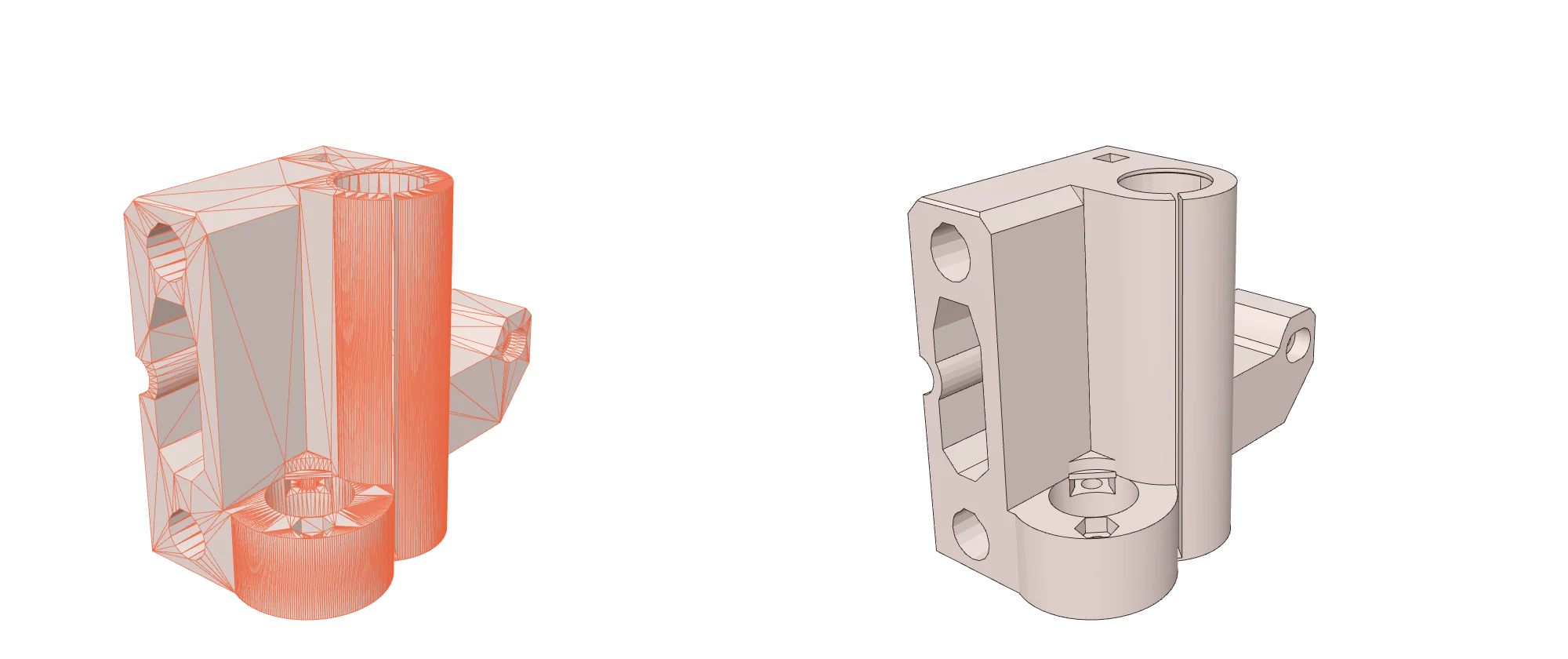
Got a printable part from Printables or Thingiverse but need to change a hole or add a mounting tab? An STL is just a shell of triangles, so CAD cannot edit it. This converter finds the flat walls and round holes in it and rebuilds them as a real STEP solid.
Drop an STL file here or choose one
Files stay on your computer.
Done
How to convert STL to STEP
Get the STL file
Download the STL, or in Fusion 360 right-click the body and choose Save As Mesh to get one.
Drop it on the converter
Drop it on the box above. STEP is pre-selected, and parts under about 40,000 triangles get the full CAD rebuild.
Open the STEP
Open the .step in SolidWorks, Fusion 360 or FreeCAD and edit it like any imported body: sketch on faces, resize holes, add fillets.
STL to STEP, done properly
A STEP file you can actually edit.
Other converters wrap every triangle as its own face. Open that in SolidWorks and you get thousands of fragments. We find the real shapes in your mesh and rebuild them, so holes are holes and walls are single faces.
The STEP is 3.5 times the size of the STL, because CAD text stores every face, edge and point by name.
Sample file
x-end-motor.stl (1.3 MB)
STEP file
x-end-motor.step (4.7 MB)
Result
485 CAD faces from 8,202 triangles, valid solid
Time in our test
64 seconds
Tips for converting STL to STEP
The rebuild works best on parts that were designed in CAD in the first place: brackets, enclosures, motor mounts, spacers. Their faces are flat or cylindrical, so each one comes back as a single face you can click. Sculpted figures and 3D scans have almost no flat areas, so they become a valid solid made of many small facets instead.
Check the volume figure after converting. We compare the solid with the original mesh and show the difference as a percentage; anything under half a percent means the rebuilt part matches the print geometry closely enough for tolerancing and drawings.
Also searched as
“stl to step converter”, “convert stl to step”, “stl to step file converter”, “stl to step file”
Fusion will import it as a mesh body. You can convert that to a solid, but every triangle stays a separate face, so a single hole becomes dozens of slivers you cannot resize.
Will the holes be exact diameters?
They are fitted to the triangles, so a 3 mm hole printed as a 64-sided polygon comes back within a few hundredths of a millimetre. Round them to the nominal size in your CAD program if needed.
What if my STL is a figurine?
It still converts to a valid STEP solid, made of flat facets. For organic shapes that is the best any converter can do, because there are no real planes or cylinders to recover.